
How to stop searching family emails in 2026

By David Reich, Founder & CEO of Fambot
Published: October 2, 2026
Last updated: October 2, 2026
Summary (TL;DR)
Gmail search can find school details faster if you know the sender, subject, date, or attachment type. The harder problem is that parents often remember, "there was something about Thursday," but not which email said it. Fambot helps by reading family-related emails and turning important details into reminders, calendar events, and a clear daily plan.
Why do parents keep searching family emails?
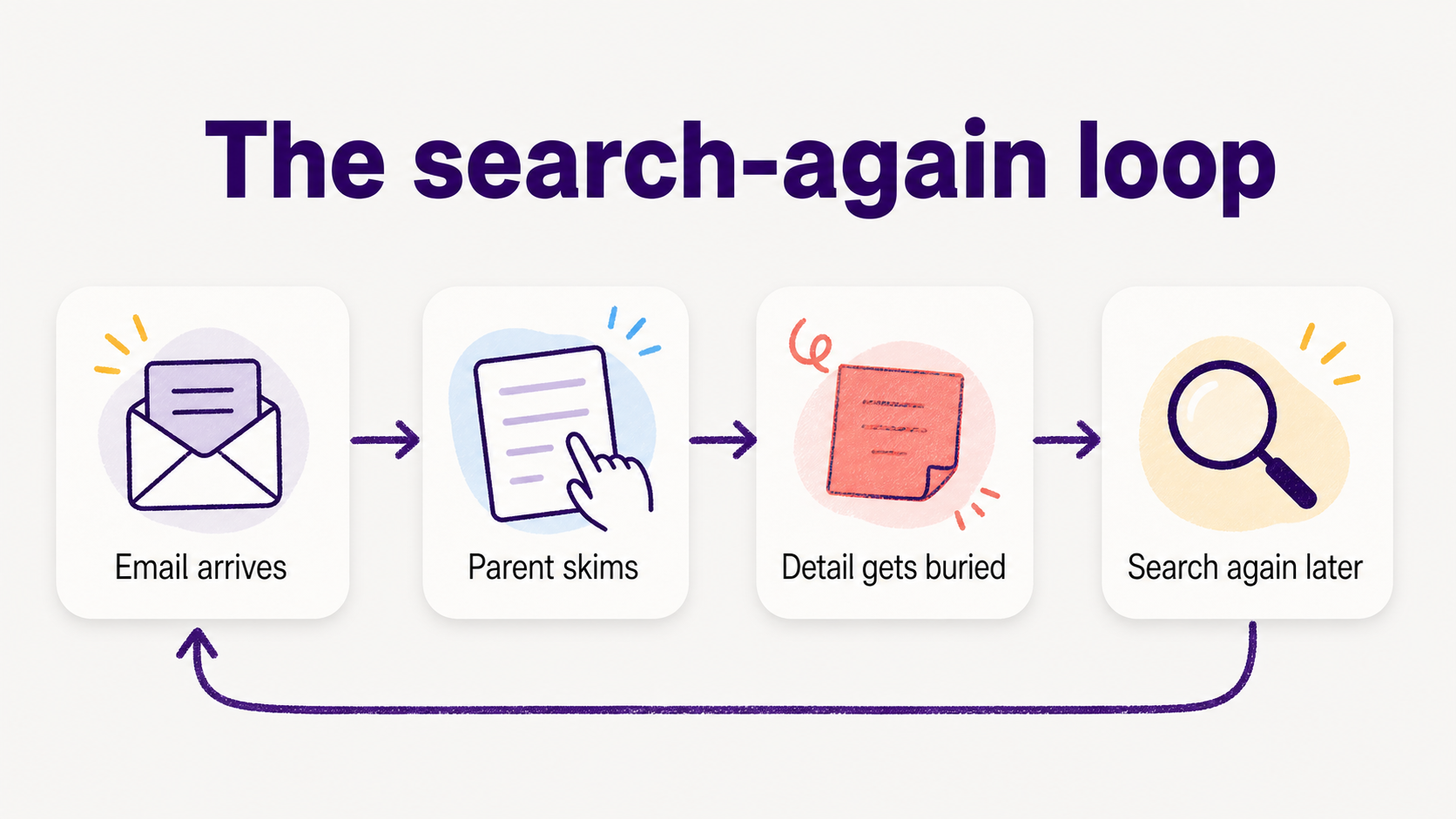
Parents search old family emails because school information arrives as scattered details, not tidy calendar events. A permission slip deadline may sit in one paragraph, an early dismissal may be buried in a newsletter, and an arrival time may be in an older teacher note. Search helps, but only after a parent realizes something is missing.
That matters because school communication is still one of the places parents trust most. Child Trends found that 78.3% of parents seek information about their child's education at least monthly, and 43% named school-based communications as the source they trust most. Its researchers summarize the pattern plainly: "Parents are most likely to rely on and trust" school information that comes directly from school (Child Trends).
Email also still carries a lot of the work. Alchemer's 2026 K-12 parent data says email is the primary communication channel for 51.3% of parents, compared with 23.5% for parent portals or apps and 13.8% for text messages (Alchemer).
That is why the same few searches happen over and over: the teacher name, the arrival window, the signup link, the shirt color, the field-trip form, the line about whether lunch is provided. Parents do not need a prettier inbox. They need fewer details disappearing in the first place.
How do I find school information faster in my inbox?
The fastest Gmail searches combine who sent the message, what word matters, and roughly when it arrived. Use search operators like from:, subject:, after:, before:, filename:pdf, and exact phrases. For a late pickup time, start with a sender or school name plus the weirdly specific phrase you remember.
Google's Gmail Help says search operators can be combined to narrow results, including sender, subject, date range, attachment type, exact phrase, label, category, and archived-message searches (Gmail Help).
Good parent searches sound less like perfect keywords and more like scraps from real life: "early dismissal," "permission slip," "arrive by," "bring a white shirt," "conference signup," "snack volunteer," "field change," or "no backpack."
What Gmail searches should parents try first?
Start with 4 searches that match the messiest school details: one for dates, one for forms, one for people, and one for attachments. The goal is to shrink the pile before you start opening messages. Search is fastest when you stop browsing and ask the inbox a narrower question.
How can I stop searching Gmail for school dates and forms?
The real fix is to stop treating your inbox as the family plan. Make a tiny rule: if an email has a date, deadline, form, signup, pickup detail, or what-to-bring note, it becomes a calendar event, a reminder, or a question for later. Everything else can stay as reference.
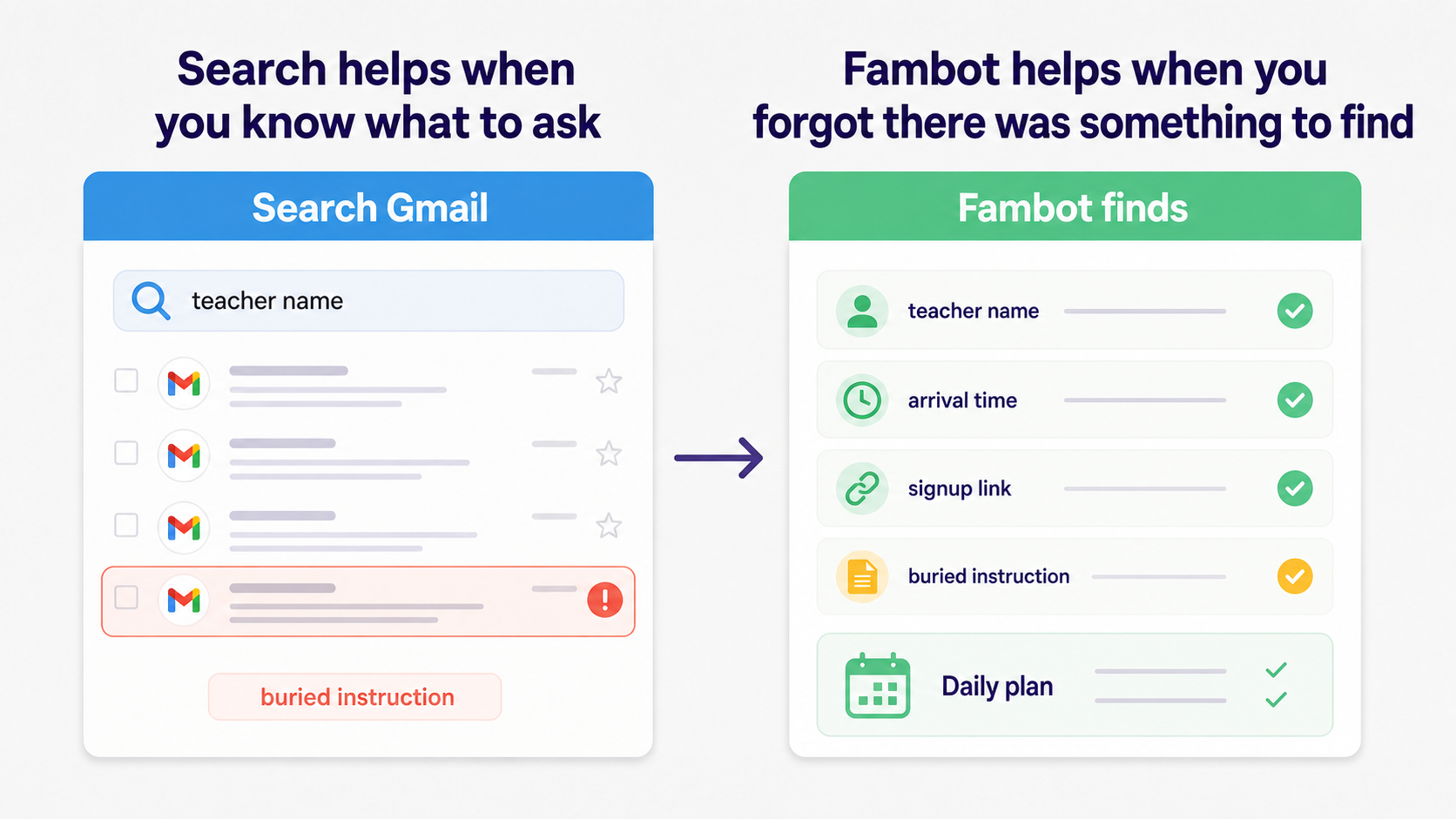
That rule works because it separates finding from deciding. Searching Gmail finds the old message. A family plan decides what should happen next: add the early dismissal to the calendar, remind someone to sign the form, save the signup link, or ask a follow-up question before the morning scramble starts.
The findability problem is bigger than inboxes. Keyspider's 2025 K-12 research found that 68% of K-12 parents could not find the information they needed on a district website during their most recent visit, and the average parent spent 7.4 minutes searching before giving up and contacting the school (Keyspider).
Is there an app that finds family details in old emails?
Yes. Fambot is built for parents who have the email somewhere but do not want to dig for it at 9:42 p.m. Its job is to read family-related emails and school updates, find what matters, and turn those details into calendar events, to-dos, reminders, follow-up questions, and a clear daily plan.
Fambot connects to Gmail, Outlook, Apple Calendar, and Google Calendar. You just have to share a few quick family details, and do not have to forward emails, tag messages, or sort their inbox. Fambot looks for details like early dismissal, extracurricular events, schedule changes, closing sign-ups, permission slips, and what to bring (Fambot FAQ).
For the parent in this article, the helpful shift is simple. Instead of searching for "what time was arrival again?" after dinner, the parent gets the detail turned into something usable earlier: a reminder, a calendar note, a daily plan item, or an answer they can ask for by text.
What is better: Gmail search or a family assistant?
Use Gmail search when you know exactly what you need to find. Use a proactive family assistant when you keep rediscovering details after they already mattered. Search is a retrieval tool. Fambot is designed to notice school details and turn them into actions before you ask.
What should parents check before connecting an email assistant?
Check what the app can access, whether it can send messages or edit calendars without permission, how to disconnect, and whether family data trains AI models. A good parent-facing assistant should make those answers plain before a family connects anything.
Google says linked apps can access only the data and services a user authorizes, and users can remove access from their Google Account at any time (Google Account Help).
Fambot's FAQ says it uses secure, read-only access to understand what matters, never sells or shares user data, never sends emails on a parent's behalf, never edits a calendar without permission, and does not allow AI models to train on family data (Fambot FAQ).
That boundary matters. Parents are not asking software to become the parent. They are asking for help with the repeated legwork: reading school updates, finding the detail, turning it into a next step, and making sure the family sees it before the moment has passed.
Sources
- Fambot FAQ - Used for current Fambot product claims, integrations, no-forwarding workflow, school-detail examples, and privacy boundaries.
- Gmail Help - Used for Gmail search operators parents can use to find old school emails faster.
- Child Trends - Used for parent trust and school-communication statistics.
- Alchemer - Used for 2026 K-12 school-to-parent channel data showing email remains the primary channel.
- Keyspider - Used for K-12 parent findability statistics and search-friction context.
- Google Account Help - Used for third-party app access, authorization, and removal guidance.




